Offers Editor
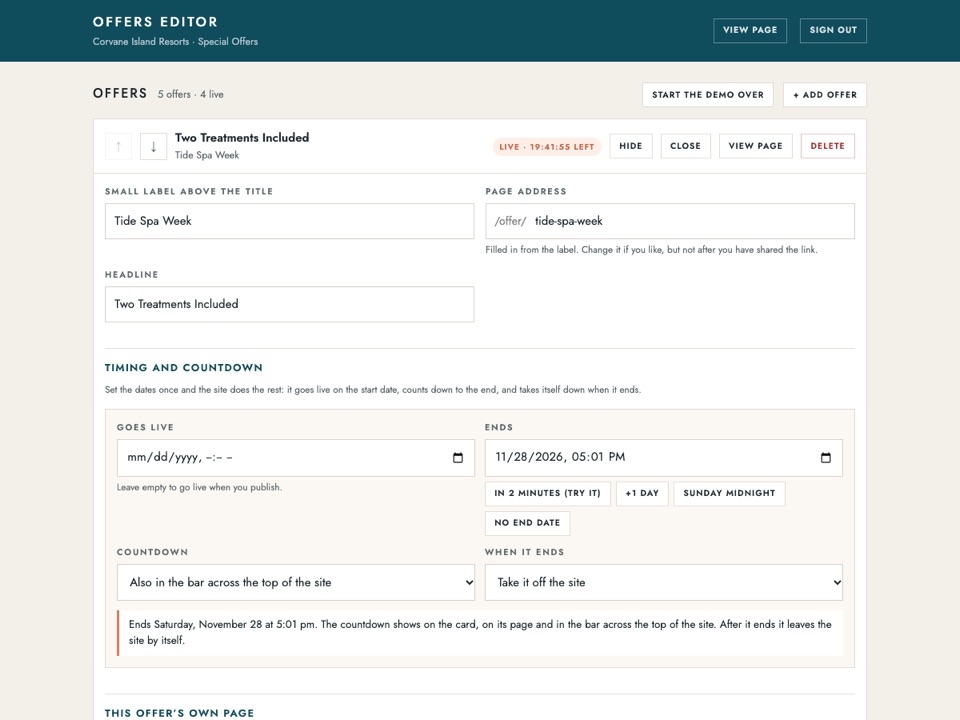
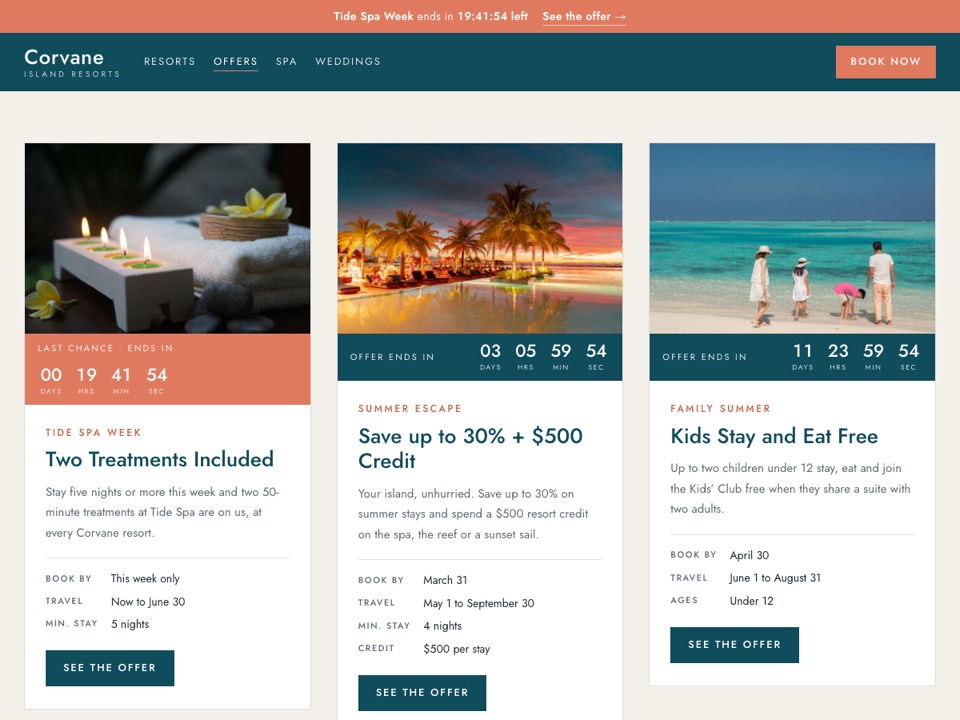
The marketing team adds, edits, hides and reorders the special offers on their own website, with no agency and no developer in the loop. One record drives the offer card and the offer’s own page, so they can never disagree. Set an end date and the site counts down to it, then takes the offer down by itself.
How to try it
Open both
The site in one tab and the editor in another. Every visitor gets a private copy, so nothing you change is seen by anyone else.
Change an offer
Edit the Summer Escape headline, pick a new photo, or set it to end in 2 minutes. Press Publish.
Watch the site
The card and its page update at once. When the clock reaches zero the offer leaves the page by itself. “Start the demo over” puts everything back.
Built on the offers editor running on a resort group’s live website, where it saves to the cloud and renders each offer page on the server. In this demo the same editor saves in your browser only. Corvane Island Resorts, its offers and numbers are fictional. Pictures from Pexels.